Calculation from drawing and CAD with comprehensible values
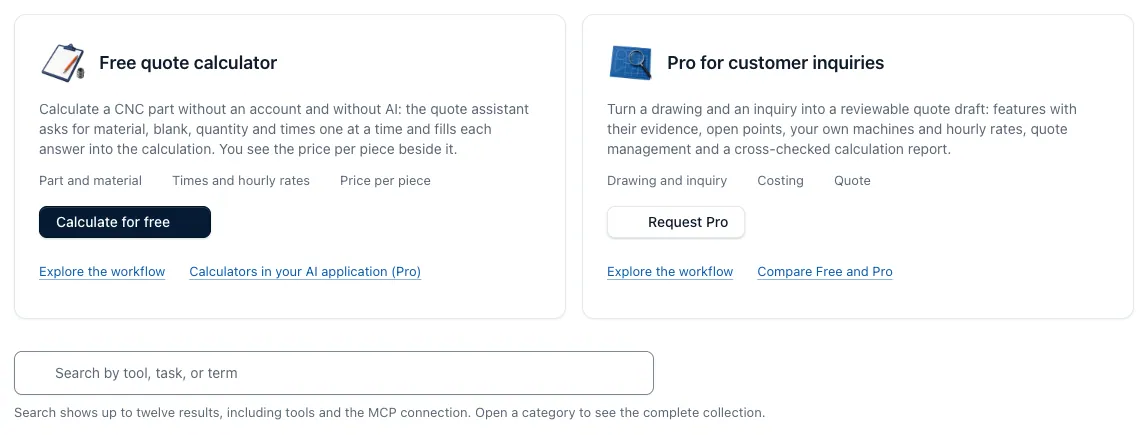
In Pro, the CNC Kalkulator reads drawing and CAD model and creates a calculation design with material, work schedule, times and costs. Each value shows its origin, such as the location in the drawing, the calculation path or the parent date. Open points remain as a question until you check and release the design.
Pro is available and will be unlocked on request; the price is indicated on request. The page describes the sequence, content and limits of the full automatic calculation from drawing and CAD.
Free, Pro and your own working environment
Free
€ 0 permanent
For individual invoices and the complete calculation without AI
- All 148 CNC calculators without sign-in, with units, limits and sources
- Offer assistant for unit costs and offer price, even without registration
- Calculation without AI in full depth: features, work schedule, tension, times and price
- Measure STEP model; check DXF, STL, STEP, G-Code and CSV within the limits specified in the app
- Own hourly rates, surcharges and approved machines
- Save calculations, folders and favorites with free account
- Print tool results or save as Word file
Per
Price on request
For recurring requests with drawing and CAD model
- Calculation with AI: The drawing is read and fills the calculation draft, clear open questions with the assistant
- Dimensions, tolerances and material with their location in the drawing; contradictions to CAD model and master data remain visible
- Pre-proposal for a tender
- Calculation report and offer with own letterhead
- Quantitative scale from own calculation with up to eight lot sizes
- Compare two to four stored variants, check cost sensitivity, discount and target margin
- Enquiry receipt with multiple positions, queries and multiposition offer
- Customer portal, technical and commercial approvals, revision and price release
- Target-actual return and other master data such as materials, cutting values, clamping agents and tools
- Calculators, batch prices and variants as computing tools in your AI application via the logged-in Pro connection via MCP
- Edit your own requests and proposals from your AI application
On request, we release Pro for your account. There is currently no online booking or payment process.
Enquire perOwn working environment
Offer after initial interview
For teams with their own master data and accompanied introduction
- Own working environment in which multiple users calculate together
- Your machines, materials and cost sets as master data
- Calculation Check: Clear process, data location, part mix and target sizes
- Pilot and calibration with reference parts, master data and training
- Productive operation with users, support, updates and extensions
- Single and ongoing services shall indicate the offer separately:
Free and Pro compared
| Function | Free | Per |
|---|---|---|
| Calculating and organising | ||
| CNC calculatorsAll computers with units, borders and sources; same input results in the same result. | contain | contain |
| Supply AssistantUnit costs and offer price step by step, even without registration. | contain | contain |
| Calculation without AIThey contribute part and characteristics; work schedule, tension, times and price arise as in the calculation with AI. | contain | contain |
| Own sets and machinesHourly rates, surcharges and released machines are included in each calculation. | contain | contain |
| Checking technical filesDXF, STL, STEP, G-Code and CSV according to fixed rules within these limits; a PDF drawing is only read in Pro. | contain | contain |
| Save calculations, folders and favoritesName, store, reopen and reach frequent computers faster. | contain | contain |
| Print Tool ResultsPrint the result of a computer with its input or save it as a Word file. | contain | contain |
| Calculation report, offer and own letterheadCreate a report and offer from an accepted calculation and add your logo. | Not included | contain |
| Continue to process inquiries and calculations | ||
| Quantitative scale from own calculationRecalculate up to eight batch sizes with your stored costs and times. | Not included | contain |
| Compare saved variantsCompare two to four calculations at the same number of units. | Not included | contain |
| Cost sensitivity, discount and target marginCheck the effect of material price, machine set and time as well as the profit after a discount. | Not included | contain |
| Questions and multiposition offersIdentify missing information per item and merge items into a price draft. | Not included | contain |
| Prepare requests | ||
| Inquiry and news importBundle positions, quantities, revisions, deadline and files in one process; insert messages yourself. | Not included | contain |
| Customer PortalTimely limited, revocable links for answers, files and customer sharing. | Not included | contain |
| Release, revision and price releaseConnect technical and commercial release to exactly one tested version. | Not included | contain |
| Purpose-actual returnCapture real set-up, programming, cycle and material values at the process. | Not included | contain |
| Other master dataMaintain materials, cutting values, clamping agents, plants, tools, external services and suppliers. | Not included | contain |
| Calculation with AIThe drawing is read and fills the calculation; open questions are clarified by the assistant with you. | Not included | contain |
| Values with origin from drawingDimensions, tolerances, material and hints with the place where they are in the drawing. | Not included | contain |
| CAD and NC context, contradictionsNotes from STEP, STL and G-code files flow in; deviations from drawing and master data remain visible. | Not included | contain |
| Calculator selection, machine comparison and working protocolThe assistant selects suitable computers, the price calculates the application; origin and open points remain verifiable. | Not included | contain |
| Connection to your AI application | ||
| Calculator in your AI applicationCalculators, guided quotation calculation, differential prices, variants and cost sensitivity via the registered Pro connection via MCP. | Not included | contain |
| Working instructions for AIInstructions for calculation and drawings via the Pro connection via MCP. | Not included | contain |
| Own requests in your AI applicationEdit saved requests and quotations from your AI application. | Not included | contain |
State of play: , checked at the tariff comparison of the app. Related functions of the app are summarized here. Complete comparison in the app
Limits and quotas
- Quantities in Pro can expect up to eight lot sizes with your stored costs and times.
- The comparison of variants in Pro compares two to four stored calculations with the same number of pieces.
- Free checks DXF, STL, STEP, G-Code and CSV within the limits specified in the app; a PDF drawing is only read in Pro.
- Drawing analyses in Pro run in a daily quota; the amount of which is given in the activation.
- If a drawing does not give a value for sure, it remains open and appears as a question instead of a invented number.
Activation of Pro
You ask Pro by e-mail to kontakt@cnccalculator.de or contact us in the first interview. We then free Pro for your account. There is currently no online booking or payment process; we call the price on request.
Until then, you can calculate for free: without AI in full depth, with all computers, the offer assistant and the material database.
Drawings, data and processing
Uploaded drawings are stored privately in your account and are only visible to you. We do not use drawings to train AI models. For an analysis started, excerpts of the drawing are transferred to Mistral AI in France, only for this analysis.
Names, phone numbers and email addresses from the title block are not saved, only if the field is filled in. If you delete an analysis, drawings, excerpts and reports are finally removed. The free calculators work without an AI call. For more information, see Security and privacy.
Free initial interview
Free initial consultation on the CNC calculator: We will clarify which parts you calculate, which documents are available and whether Free, Pro or your own working environment fits.
- Telephone
- +49 6201 2720925, Mon–Fri, 09:00–18:00
- contact@cnccalculator.de
Send confidential files only by arrangement.
Questions about prices and pros
How much does the CNC Kalkulator cost?
Free costs 0 € and stays permanently free. We call the price for Pro on request; we offer your own working environment for your team after a first interview.
What remains in Free permanently free?
All 148 CNC calculators without sign-in, the quote assistant, costing with your own rates and machines, tools for STEP, STL, DXF, G-code and CSV files, saved calculations, folders and favourites. A free account lets you save your work. MCP access for your AI application is included in Pro.
What does Pro contain, and how is Pro unlocked?
Pro reads the drawing and creates a calculation draft with the CAD model, to the extent that tolerances and material show their location. In addition, drawing examination, report and offer with own letterhead, quantity scales, variant comparison, request receipt, customer portal and approvals. You ask Pro by email or in conversation, and we will set it free for your account; there is currently no online booking.
Are my drawings used to train AI?
No. Drawings are stored privately in your account and are not used to train AI models. For an analysis started, excerpts of the drawing are transferred to Mistral AI in France, only for this analysis.
Who releases the calculation?
You. The AI reads the documents and proposes values, the price calculates the application itself, and open points remain as a question. Only your approval makes the design a calculation.
Is the initial interview free?
Yes. The initial consultation about the CNC calculator is free of charge and non-binding. You do not need to prepare files for this; you only send confidential documents after consultation.
How do I reach you?
Call +49 6201 2720925 (Mon–Fri, 09:00–18:00) or email