Translating changed features of a revision into time and costs
A new drawing revision may contain a small editorial correction or a fundamental change in the production path. Therefore, for the recalculation of a component revision old and new CAD and drawing files must be uniquely assigned. Version number, change notification and customer process are just as important as material, lot size and the last released calculation. Only in this way is it excluded that files from different stands are mixed together.
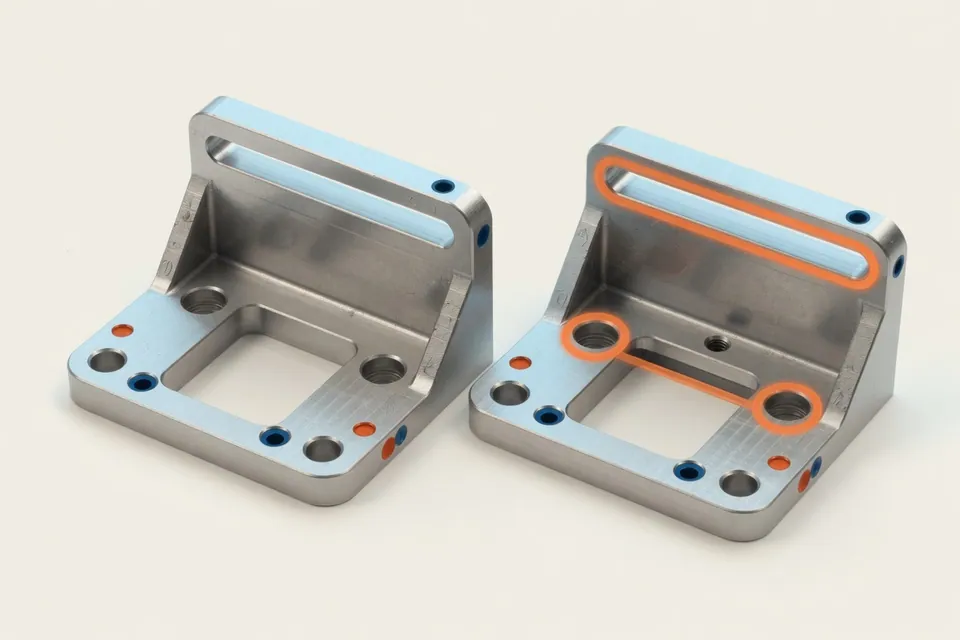
The system can mark changed dimensions, holes, tolerances, surfaces or hints; staff assesses their manufacturing technical effect. An additional bore may only affect one operation. A narrower shape tolerance, however, can change tension, compromise strategy, measurement effort and suitable machine. Also unchanged positions are not automatically assumed to be valid if stock or reference system has changed.
The result is a new, separately released calculation version with a visible change justification. It shows which operations have been taken over, adapted, supplemented or removed and how time and costs change. The previous offer status remains unchanged. Sales can explain to the customer why a revision remains price-neutral or causes a new effort. Work preparation and quality assurance see the same status and can process open technical queries before submitting a tender.
Changed general tolerances, difficult-to-read scans, free text notices or implicit changes to the test concept require technical control. Change release, production planning and quality planning are also clearly assigned. At the beginning, it is clarified how revisions are named, stored and released today. This results in a process that reliably makes relevant differences visible and takes into account the quality of source data transparently. How model, drawing and request are taken over with their source and what checks a target-actual comparison of CAD data and drawing describes the page for CAD data acquisition.
Result of the application
In "Comparing and recalculating component revisions", existing data are combined with a clear decision and a visible result.
Securely assign versions
CAD model, drawing and customer process receive a unique revision status.
Technical assessment of impact
Changed dimensions, tolerances and characteristics are assigned to affected operations.
Release new stand separately
The previous calculation is retained; changes and justifications are visible.