Calculation levels, versions and reports
Why was the offer six months ago cheaper? Which drawing revision was available, and which machine was expected to be used? CNC Kalkulator records the calculation path together with the component: input documents, confirmed manufacturing strategy, used master data as well as main, auxiliary, set-up and test times. Open assumptions and the release status also remain part of the respective calculation level.
If drawing, quantity, material or machine change, it will become a new version. In comparison, it can be seen which input has been adapted and how this affects work processes, time or price. Thus, work preparation, calculation and sales can distinguish technical changes from commercial decisions – and check for repeat requests whether the previous offer really fits.
For offer or internal release, the confirmed stand can be compactly summarized. The report shows results and essential assumptions, instead of just spending one final sum. Previous calculations remain available via part, revision, customer, material, machine, quantity or period. Thus, individual offer files become a reliable calculation history, which shortens queries and makes decisions understandable even later.
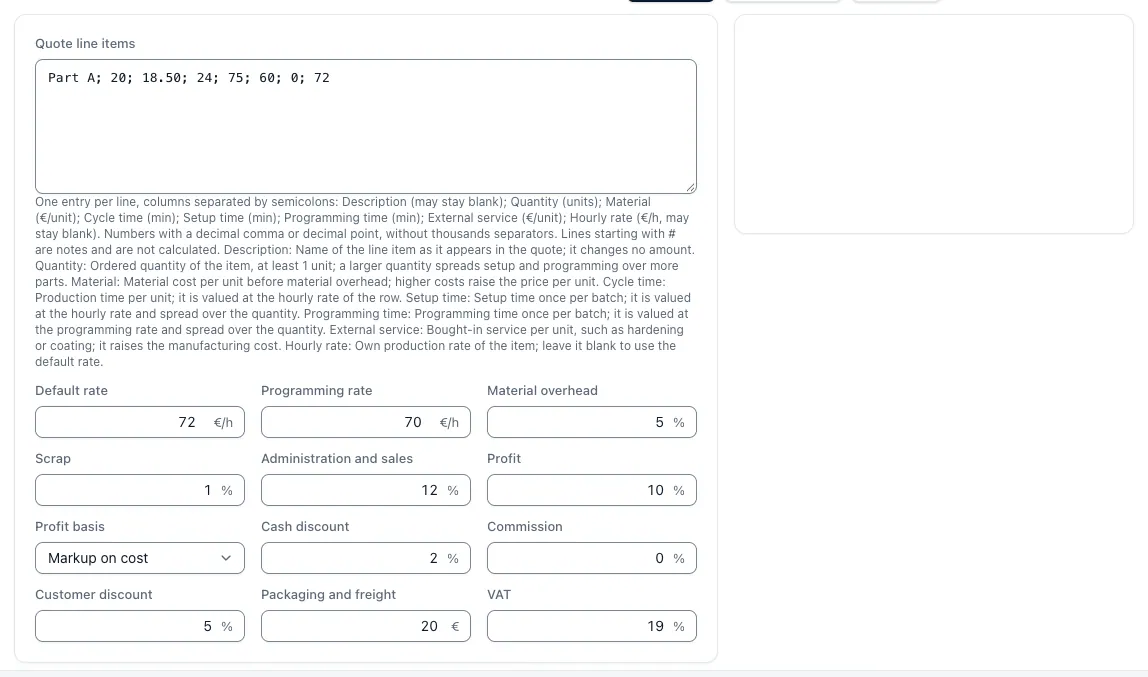
In the web app, Pro stores each unit cost calculation as an invariable version with work schedule, times, cost structure and origin of each input; it is available as a page, PDF and Word file.
Benefits for your team
Reports & history reduces search work, makes assumptions comprehensible and creates a reliable basis for the offer.
Fully Secure Calculator
Inputs, master data versions, warnings and results are part of the same calculation.
Targeted comparison of changes
New quantities, revisions or machines become visible with their effects.
Share Shared Results
Reports summarise the confirmed status of offer and internal voting.