What the MCP access is to the app
MCP, the Model Context Protocol, is an open protocol that allows AI assistants to call up external tools. The CNC Calculator app provides a logged-in MCP connection for pro accounts. A compatible AI application uses the same CNC calculators as the Web app: The wizard searches for the appropriate tool, requests missing information and gets the calculated result back with units, sources and clues.
The difference to a question about a language model without a tool lies in the origin of the number. Without a computer, the model itself calculates, and whether formula and values are correct is difficult to understand. With the MCP access, the assistant formulates the questions; calculation rules and sums come from the calculation tools of the app.
Typical procedure of a calculation in the chat
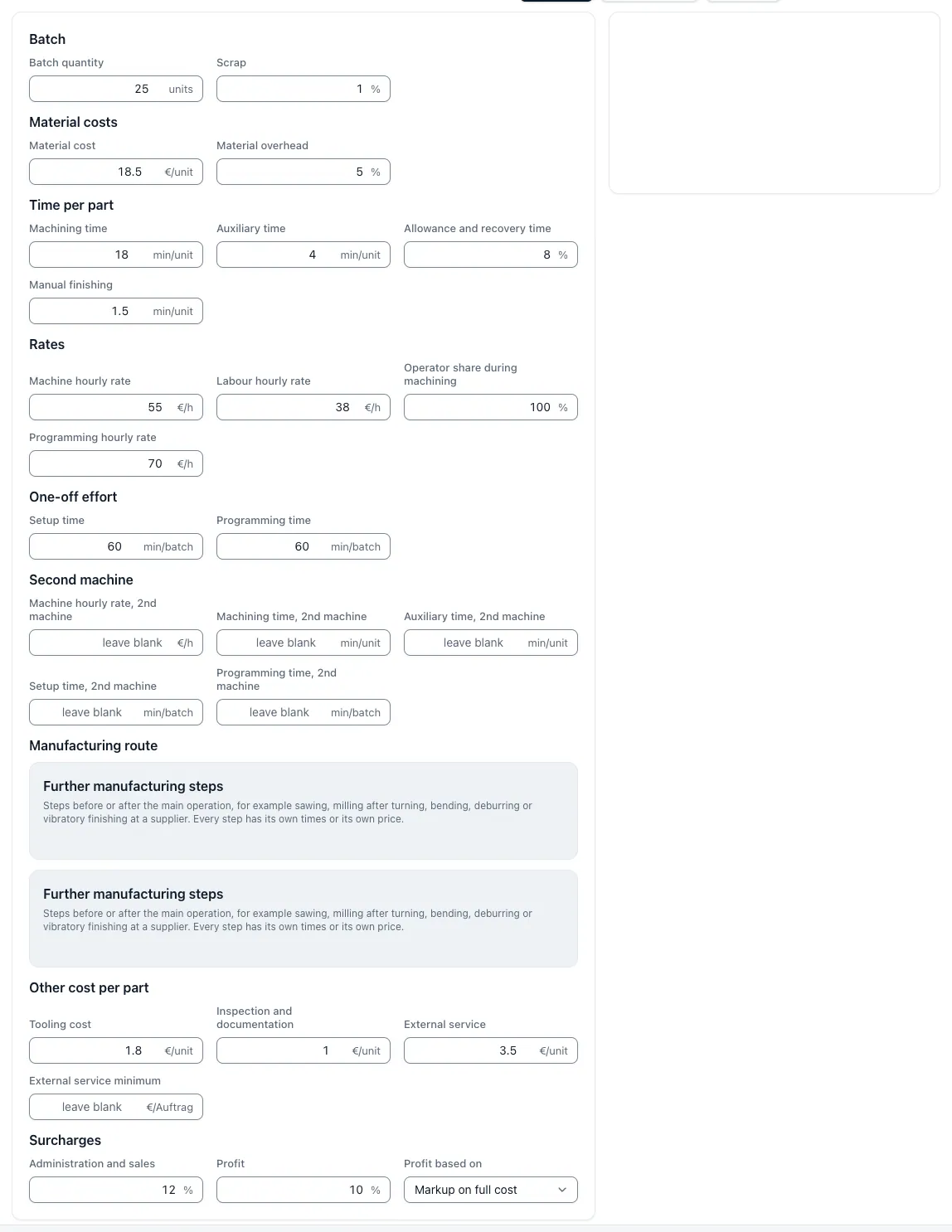
They describe the task in their own words, for example the unit costs of a milling part made of aluminium for 50 pieces. The assistant searches for the appropriate computer and asks what is missing: material price per piece, main and side time, set-up and programming time, machine and pay-hour rate, surcharges. Only with complete input does he call up the calculation and returns the result with units, sources and hints.
Based on this, questions can be played through that often come in sales: What costs the part at 200 pieces, what changes a higher material price, how far can a discount go. Each variant remains its own calculation with its own input. If you want to check the number, enter the same values free of charge into the web app and get the same result.
Set up Pro connection in the AI application
You can set up the connection with your Pro account at https://app.cnccalculatorai.com/mcp-connection. In the AI application, the address https://app.cnccalculatorai.com/mcp/pro is entered as a remote MCP server; the login runs via your account in the app without manually copied tokens. Whether and under which name a remote MCP server AI application supports a remote MCP server depends on the application; a certain availability does not secure the app.
The public address https://app.cnccalculatorai.com/mcp does not expect to be registered any more; it only responds with the indication that MCP belongs to Pro.
What the Pro connection contains
The Pro connection provides individual computers, material search, quotation guidance and calculation scenarios. You pass the entries, the server calculates. If you want to query cut data via AI, you get the values of the same computer that the Web app shows, and you can check them with the same inputs there. In the offer calculation, quantities, variants, cost changes and price negotiations can be calculated with complete inputs.
In addition, you will receive your own requests and draft offers from your AI application.The full scope of Free and Pro is shown in the comparison of tariffs at https://app.cnccalculatorai.com/free-and-pro.
Skills and Prompts for Drawing and Offer
In addition to the computers, the connection provides skills and prompts that describe a comprehensible process: documents are visible, the drawing is divided into image areas, characteristics are confirmed, missing parameters are asked, the production is planned and the offer is checked. The instructions require observed values, confirmed data and assumptions to be distinguished, missing dimensions and operating prices to be asked specifically and tool calls with inputs, units and results to be recorded.
For calculation and distribution, the benefit is that at the end there is an invoice whose input is individually comprehensible and which can be repeated in the web app with the same values.
Limits: Release, Operating Data and Pro
A calculation call does not issue technical or commercial approval and does not send an offer. Missing information must be clarified; the responsibility for the price remains in the company. Own cost rates such as machine and pay hourly rate are specified in the interview or maintained in the app.
The MCP access requires an unlocked Pro account. Pro is available and will be activated on request; the price is stated on request. Without Pro, you can count the same computer free of charge and without logging in directly to the web app.
Questions and answers
Do I need Pro for MCP access?
Yes. The MCP access belongs to Pro and only runs via the registered Pro connection https://app.cnccalculatorai.com/mcp/pro. The computers in the Web app remain free of charge and can be used without logging in.
Do I need an account or API key?
You need an account with unlocked Pro. Don't copy an API key: Set up the connection logged in at https://app.cnccalculatorai.com/mcp-connection, and the AI application logs in via your account.
Does access work in any AI application?
This depends on whether your AI application and your account support remote MCP servers there. The app does not secure specific availability in an AI application.
Can the assistant invent prices or release offers?
The instructions require confirmed entries and verifiable calculation results; missing information must be clarified. Release and dispatch of an offer does not give any calculation call.
How much does the MCP access cost?
The MCP access is part of Pro. Pro is available and will be unlocked on request; the price is indicated on request.