What "calculate online" means for a milling part
For a payman, milling part online does not mean to ask for a platform price, but to make his own price from his own costs. This is done in the browser in two ways.
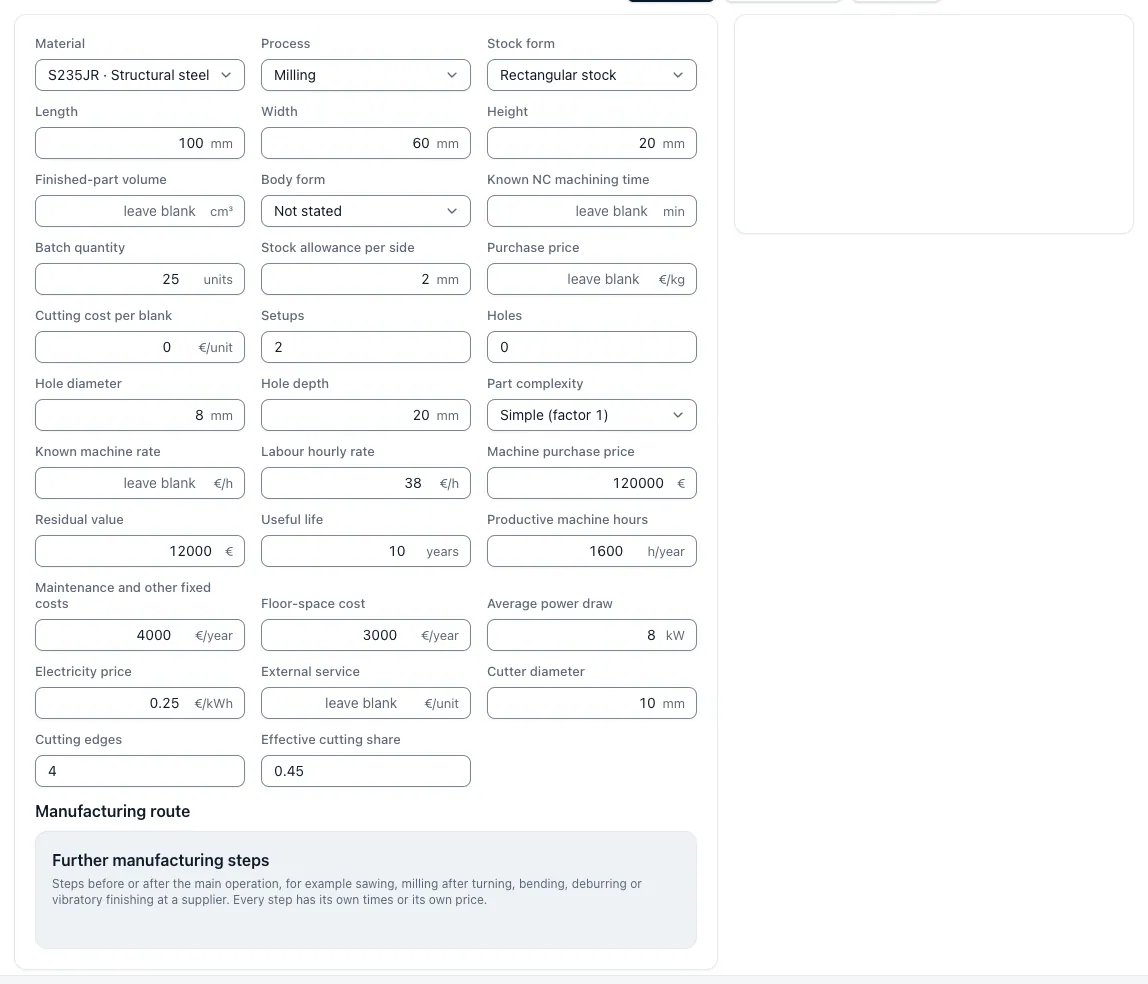
Step by step and free of charge: The CNC Calculator app presents each calculation step as its own tool, from the stock to the milling time to unit costs and scale. Each shows formula, input and result. Computing goes without registration; is stored only when you register for free.
Automatically in Pro: You place drawing and STEP model, and the app automatically creates a calculation design with stock, tensioning, working steps, times, costs and batch prices. Each value shows its origin, open points are there as a question, and you give the design free. Pro is available and will be unlocked on request; the price we call on request.
From the CAD file: External dimensions and stock
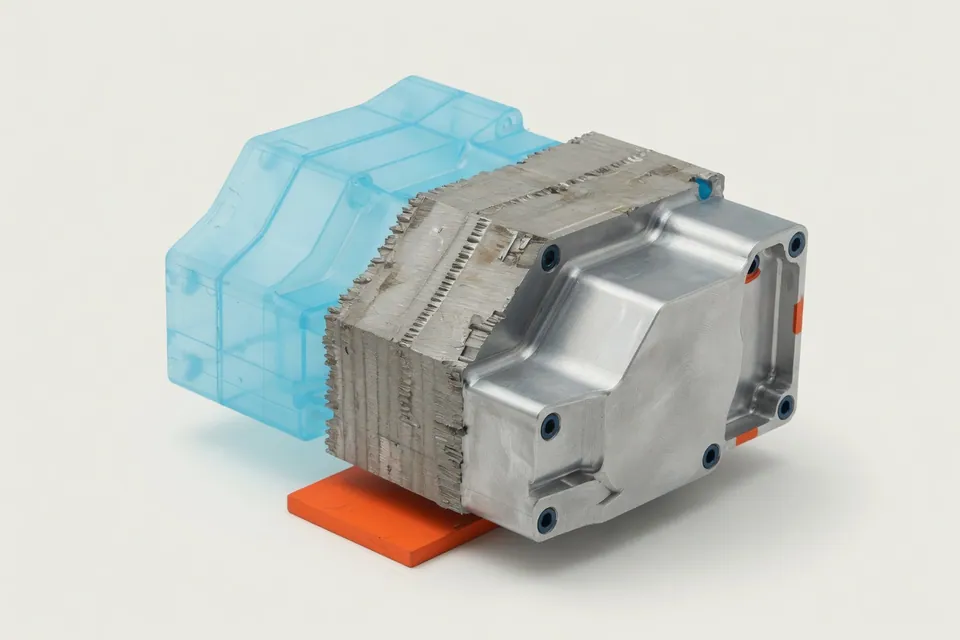
The STEP file provides the external dimensions of the component. With machining dimensions and saw addition, the stock, the stock weight from material and density, and the kiloprice, the material costs are determined. In the case of plates and cutting, the plate utilisation also determines how much material is actually paid for.
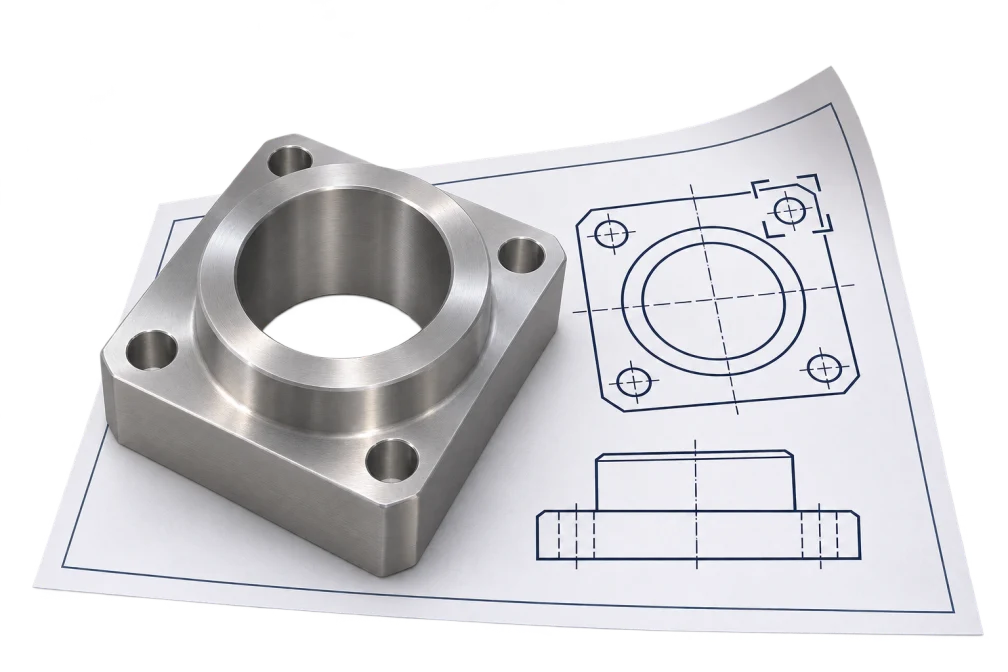
The app measures external dimensions, volume and surface for STEP files from the exact surface geometry and proposes holes, thread candidates, pockets and rotation diameters; for STL networks it evaluates surface and volume, for DXF contours lengths and surfaces. Recognized features remain suggestions: tolerances, threads and surfaces are only valid when they are compared with the drawing.
Milling time per operation instead of lump sum
The main time of a milling part is created from tool path and feed speed. Plan milling, contour milling, grooves and pockets are counted separately, each with deliveries, access and overflow. The feed speed follows from speed, number of teeth and tooth feed, the speed from cutting speed and tool diameter.
In addition, there are holes and threads that cost more time for many milling parts than the contour, as well as non-cutting times for tool changes, positioning and measuring.
t_h = L ו vf with vf = n × z × fz
From hourly rate to unit price and season
The unit time consists of main time, incidental time and the set-up portion, which is distributed over the lot size. Evaluated with machine and wage hourly rate, supplemented with material, tools, external services and overhead costs, the cost of the production arises. Profit surcharge and conditions make the offer price.
Because setups and programmings occur once per order, the unit price falls with the quantity. The table shows the calculation of the flattened prices on the milling part of the page: Processing time and material are the same in each line, only the fixed portion is distributed over more parts.
t_Stück = t_h + t_n + t_Rüst ÷ N
A milling part from 1 to 500 pieces
Assumptions: 18,50 € Material, 24 min processing at 72 €/h, 75 min setup, 180 € Programming, 18 % overhead costs and 12 % margin from the selling price.
| Quantity | Fixed percentage per piece | Price per piece |
|---|---|---|
| 1 piece | 270,00 € | 425,47 € |
| 10 pieces | 27,00 € | 99,63 € |
| 50 pieces | 5,40 € | 70,67 € |
| 100 pieces | 2,70 € | 67,05 € |
| 500 pieces | 0,54 € | 64,15 € |
Example of calculation with round assumptions, no market prices. With your own rates, the batch prices calculator of the app calculates the same course.
When the individual tools are sufficient and when the drawing must be fully evaluated
For target prices, plausibility tests and offers for well-known parts families, the individual tools and the quote assistant are sufficient. As soon as tight tolerances, shape and position tolerances, surfaces or heat treatment determine the effort, the drawing must be fully evaluated.
In Pro, this takes over the fully automatic calculation: It reads drawing and CAD model together, assigns each indication of its location and calculates the same calculation logic as the free tools.
Questions and answers
Can I calculate milling parts online without registration?
Yes. You can count stock blanks, milling time, unit costs and batch prices in the CNC calculator app without an account and without registration. You only need a free account if you want to save calculations.
Can I calculate a milling part online for free?
Yes, with the free single tools and the quote assistant, in which you enter part and features yourself. The fully automatic calculation from drawing and STEP model belongs to Pro, which is activated on request.
Does the app automatically recognize pockets, holes and threads from the CAD file?
Partially. The free STEP test suggests drilling holes, thread candidates and pockets from the exact geometry; a thread is thus not proven. Tolerances, fits and surfaces come from the drawing. The joint evaluation of drawing and CAD belongs to Pro, which is activated on request.
Which hourly rate is included in the calculation?
The machine hourly rate is based on depreciation, interest, space, energy and maintenance per productive hour; together with the wage costs, the production hourly rate is generated. Both computers are available free of charge in the app.
Why is the item so expensive?
Because setup, programming and initial sample testing are completely part of one piece. In the example, the milling part costs 425.47 €, at 100 pieces 67.05 €, although the processing time is the same.